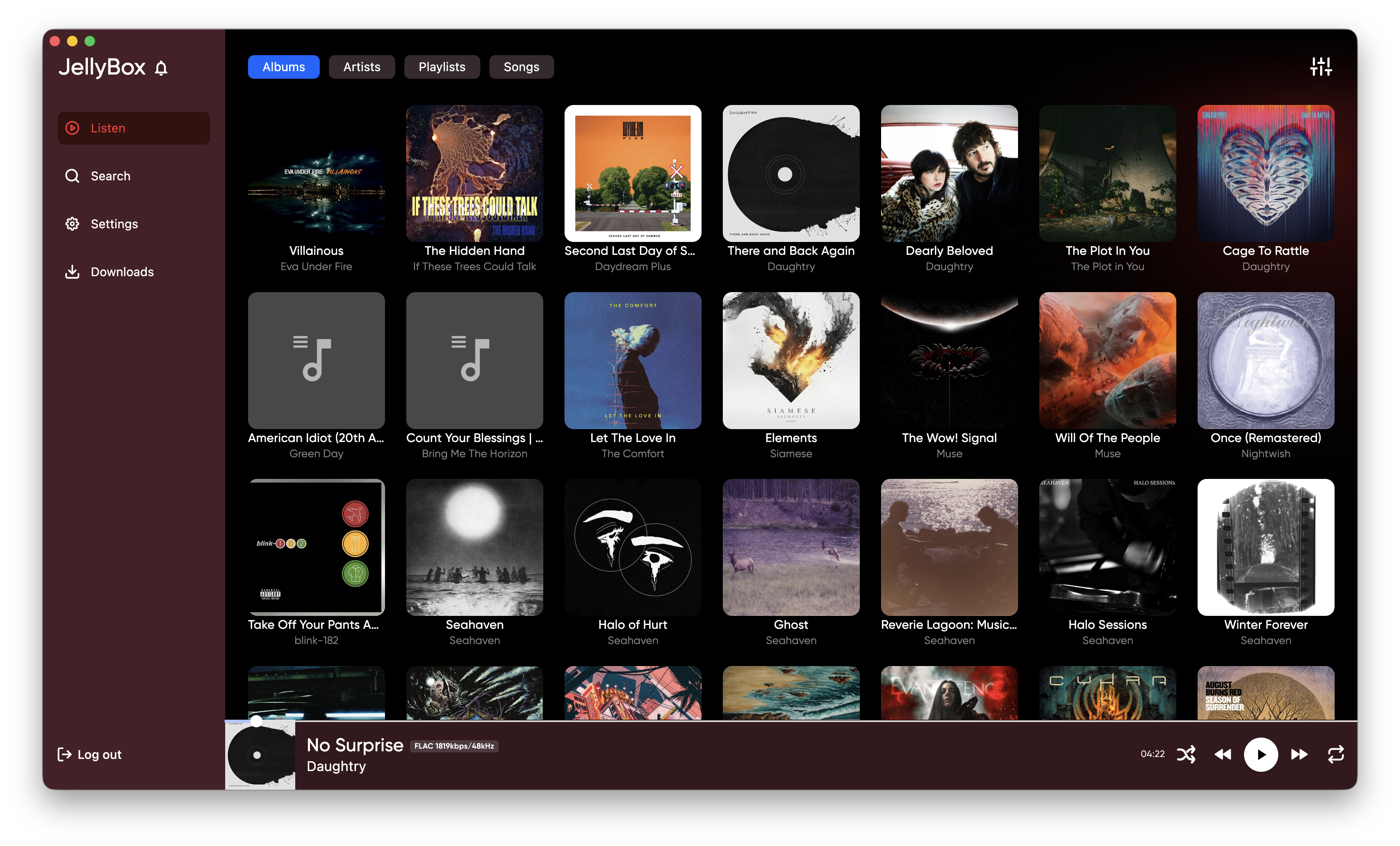
Jellybox | Product Updates & News

Update Sep 8, 2026 by Alex Sinelnikov

v2.5.0 - DLNA and Queue updates

This release took quite a while, since the DLNA stuff was trickier than I expected, so I've made a lot of back and forth to get it to usable state, but with some limitations which I can't overcome yet, see the details below.

DLNA playback
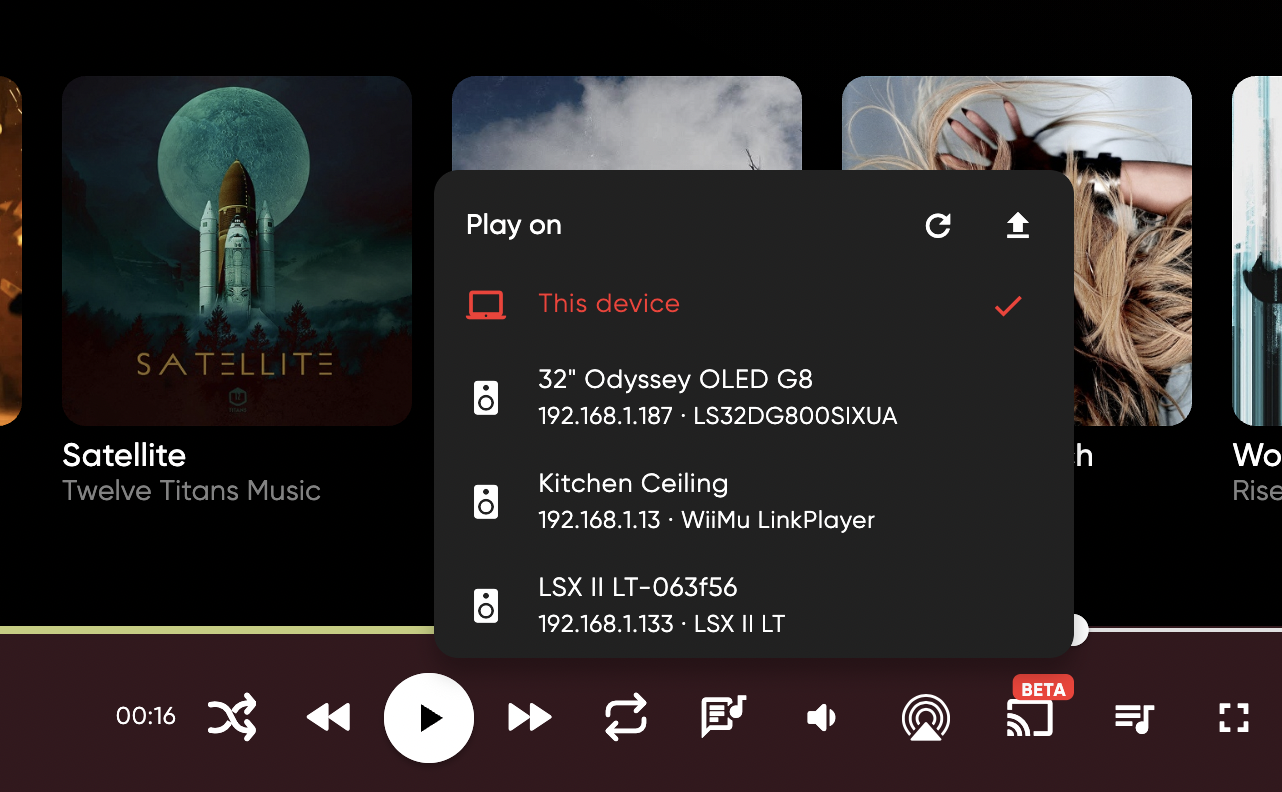
DLNA playback currently in beta state and I will need your help to get it to release. The problem with DLNA is that there are 3 versions, but each manufacturer adds also their own features. The biggest problem is the queue. The reason is simple - DLNA queue was added only in DLNA v3, which was officially launched around 2015, but not that much devices supports it even in 2026.

Before v3 - different manufacturers had their own queue implementations. Why do you need queue at all you might ask?

Well, on desktops - you don't and there's currently no limitations on desktop platforms. However on mobile - when you start DLNA session - your phone physically stops playing anything and OS puts app into background mode. That means you can't poll your DLNA speakers about its current state, current song, etc. Because of that you cannot push new song to be played unless device supports queue.

When DLNA device supports queue - you can put your whole playlist or album into queue and let the DLNA device to play on its own, and when not - player needs to check whether song ended and needs to push next one to play. Some DLNA devices supports 2 songs(current and next), but equation remains the same - you need to track DLNA device playback state and update songs.

On android - there's a way to have app not to go to deep sleep. On iOS - there's no way to keep app awake while DLNA plays.

For now DLNA devices with no queue supports - arent supported to be played on mobile and will be greyed out in DLNA speakers dropdown. I'm not saying its permanent, maybe I will find a way to play it, but for now I don't want to deal with issue reports that DLNA stops playing after 1-2 songs.

For that I need your help - there's upload button in DLNA dropdown. This will send to sentry(bug tracker) list of your DLNA speakers with its capabilities. I don't have much DLNA spekaers myself(you can see them on screenshot), so I tested with the hardware I had, but because different manufacturers do different queue implementations - I need to see the debug details.

These details will not be used anywhere, except fixing possible issues with DLNA in jellybox app, and will be automatically deleted after 90 days(as per sentry docs). This is totally optional, and will help development.

For now Sonos devices supported and Linkplay/Arylic, since these are the ones I could've tested myself.

Please report any issues with DLNA either on github or in discord - https://discord.gg/5deQcmPu

Queue management
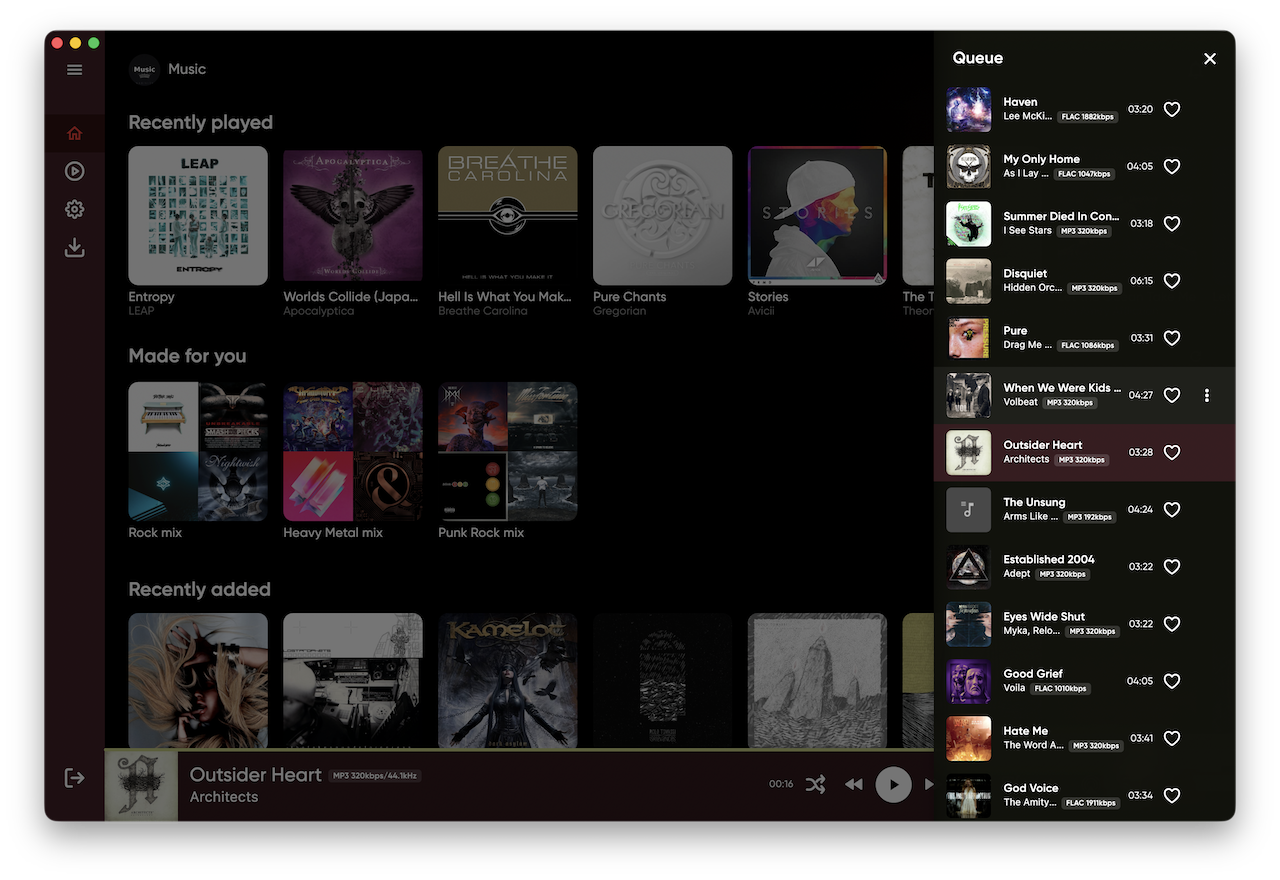
You can now view and manage the current queue. Move songs, remove them, or add songs to play next or later.

On desktop you can open queue via button at bottom right corner and drag items around. On mobile - it opens via Playing Now window.

Other Improvements

  • Playlist playback and downloads now work correctly from the buttons at the top of a playlist.

  • The left sidebar is collapsed by default.

  • You can hide the Favorites and Recently Played rows from the Home page.

  • Improved desktop rendering after upgrading Flutter to v3.47.2. I had to drop older MacOS support unfortunately.

Bug Fixes

  • Fixed an issue that prevented the app from starting on Kubuntu with Wayland.

  • Studio mode now shows cover art when it first loads.

  • Fixed window controls appearing in Hyprland, where they are not needed.

Let me know about issues you encounter or ideas that might improve the player. You can submit them on github https://github.com/avdept/JellyBoxPlayer or in discord https://discord.gg/5deQcmPu
Update Sep 3, 2026 by Alex Sinelnikov

Release 2.4.1

This is minor update aimed to fix broken Emby auth tokens. And few UI improvements.

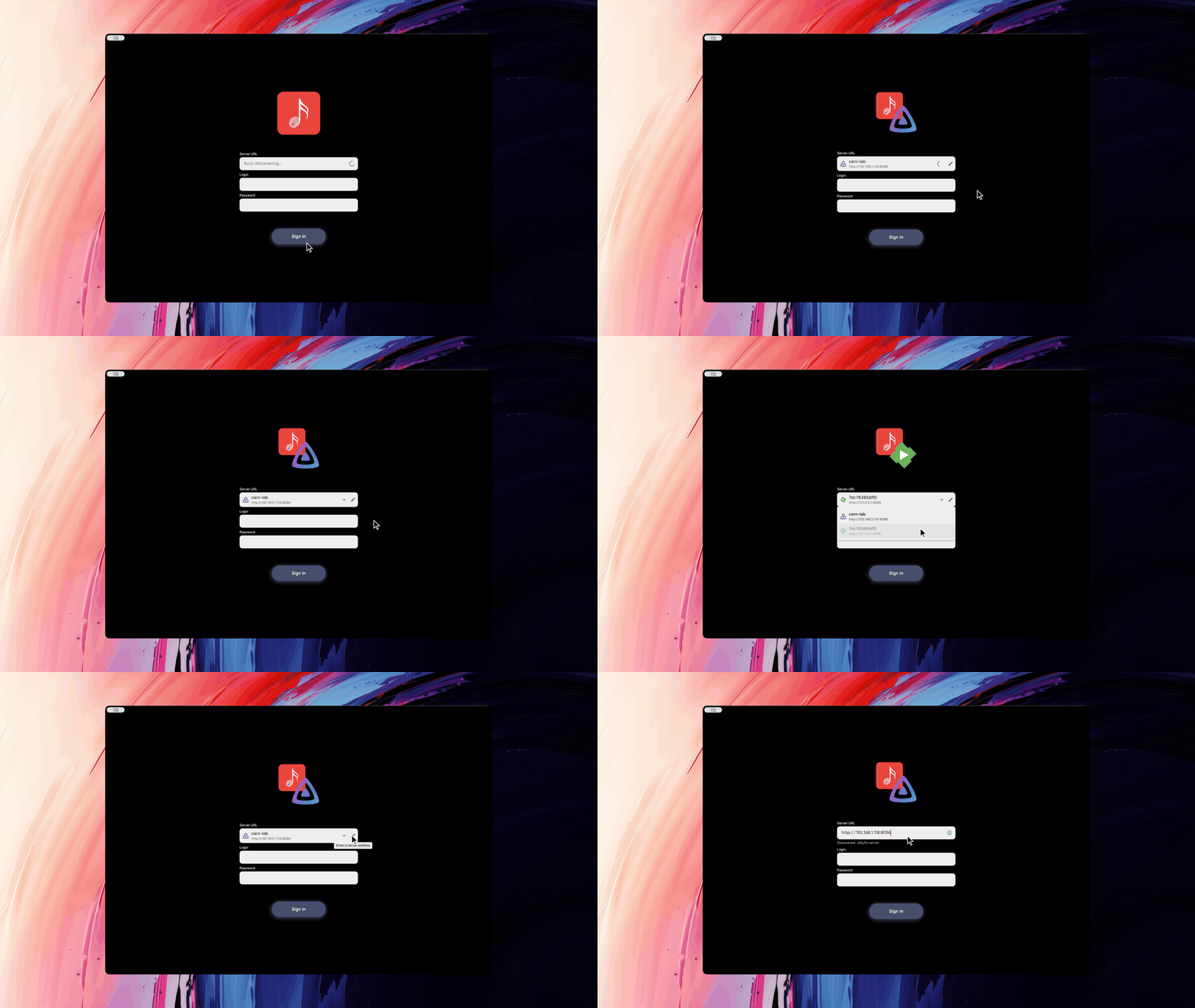
  • Fixed emby auth tokens. Sorry, but you will need to reauthenticate again. I need to save server type in app, so that auth headers could be built correctly.

  • Added a way to display artists/albums/playlists as a row instead of grid

  • Added hover effect on desktop to grid items, now it zooms a bit to show the interaction. The row UI highlights whole row when hovered. I put a 30ms animation, but somehow for me it looks long and I'd remove the animation completely, just highlight instantly when hovered. Anyway let me know by pushing up(if you want to keep animation) or down vote below this post.

  • Code cleanup - moved few dropdowns which were spread across code base into its own reusable component.

Update Aug 31, 2026 by Alex Sinelnikov

Release 2.4.0

New Features

  • You can now discover nearby Emby and Jellyfin servers automatically. The auto discovery might not work if your server isnt set up properly or if you're on VPN. Emby/Jellyfin needs their UDP ports to be exposed(if you run it via docker or some other virtualization way) and server to be on same network as your devices.

  • New default UI settings let you choose your starting page and default Browse tab, including Songs, Artists, Albums, Genres, and Playlists.

  • Desktop users can adjust the volume with a slider by hovering over the volume button.

  • Song rows now show the audio format and bitrate.

Improvements

  • You can open the app and access downloaded content when your device is offline, instead of being sent to the login screen.

  • Jellyfin servers that require the latest token format now work correctly(v12).

  • The collapsed sidebar now fits better on macOS, including around the window controls.

Notes

I started discord server Jellybox Community, feel free to join. You can request a feature or report a bug there - https://discord.gg/ARxZRbUE

Update Aug 26, 2026 by Alex Sinelnikov

v2.3.0 - Emby joins the party

New Features

  • Added support for Emby, including the home page, lyrics, downloads, playlists, and album playback.

  • CarPlay now includes a row of suggested playlists.

  • Added Linux ARM builds.

Improvements

  • The sidebar can now be collapsed, with a more compact layout. Im not really liking the traffic light(close, minimize, maximize) buttons on macos, but not much I can think of right now to improve it

  • Album and song cover art now stays consistent.

Bug Fixes

  • Fixed the Play album button on mobile and tablet.

  • Fixed FLAC playback on macOS and iOS. The progress bar now shows the correct position, and seeking moves to the selected part of the song.

Announcement Aug 26, 2026 by Alex Sinelnikov

Appstore IOS review delayed

I'm really sorry, but for some reason ios version of app stuck in review state for almost 1.5 weeks already. I sent them email, but I'm afraid there isnt much I could do about it. If you want to try new "Generated playlists" feature - join testflight instead https://testflight.apple.com/join/LVj8KwAq

Update Aug 21, 2026 by Alex Sinelnikov

v2.2.0 - Spotify-like playlists

Generated playlists

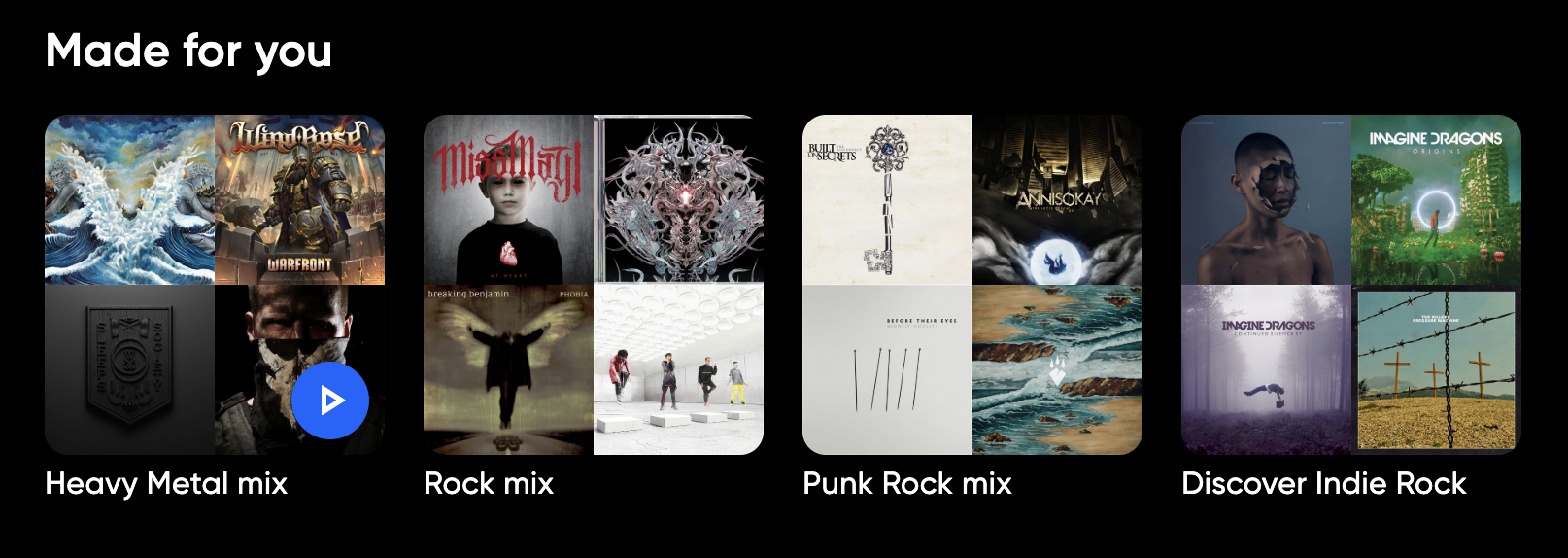
This new release brings support for new generated or "smart" playlists. This isnt spotify-quality yet, but I tried to come up with algorithm that works on your device by leveraging your listening history.. Right now app will try to create up to 5 playlists, 3 of which will be related to your most liked genres while up to 2 others - will be discovering some less popular genres that you have in your library. This feature requires your lib to have more or less unified set of genres, meaning "Alt. Metal" and "Alternative Metal" are 2 different genres, and the more of these you have - the less playlists app will generate for you. These playlists are generated once a day and will stay cached until next day.

There are overall at least 6 active variables taking part in playlist generating, so if you have any questions - feel free to join discord community where you can ask for help - https://discord.gg/ETCKrWHe

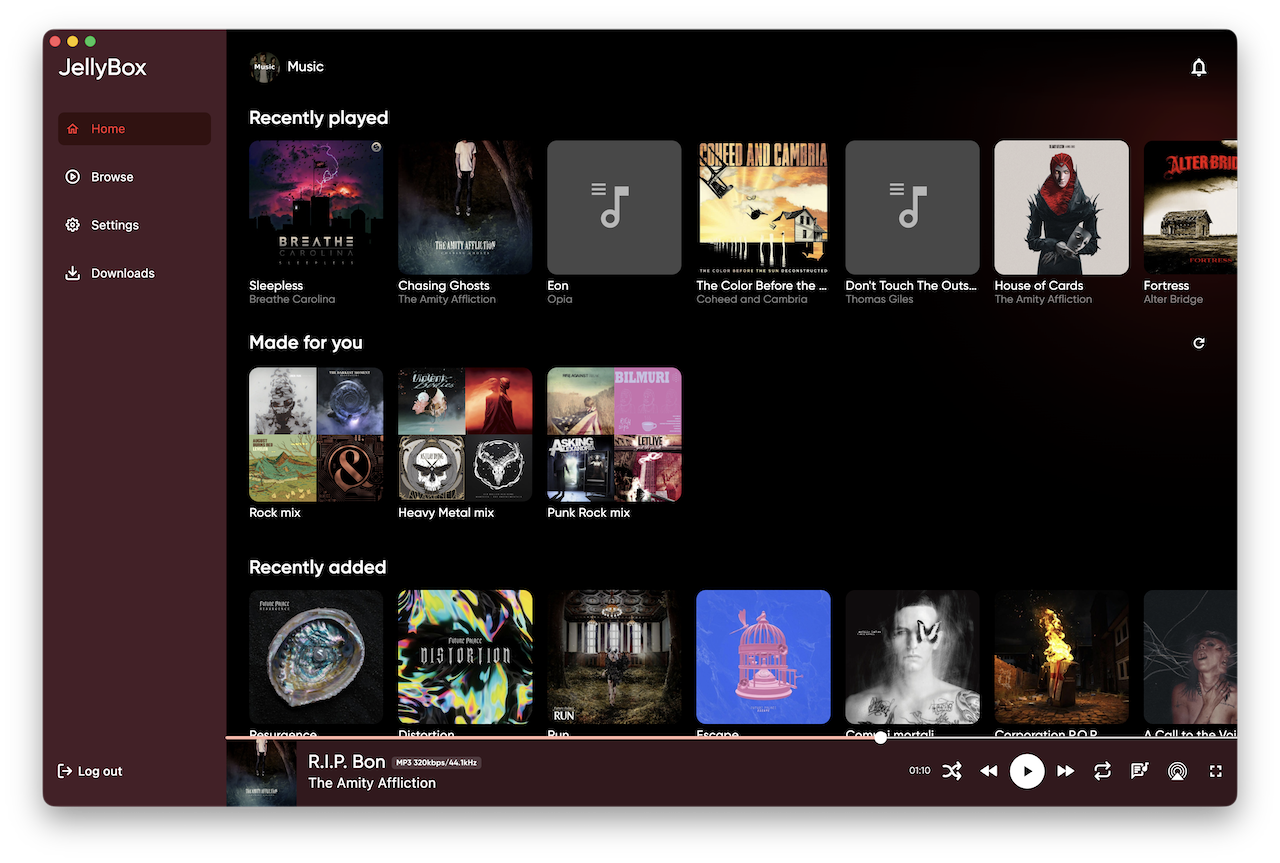
New Home page

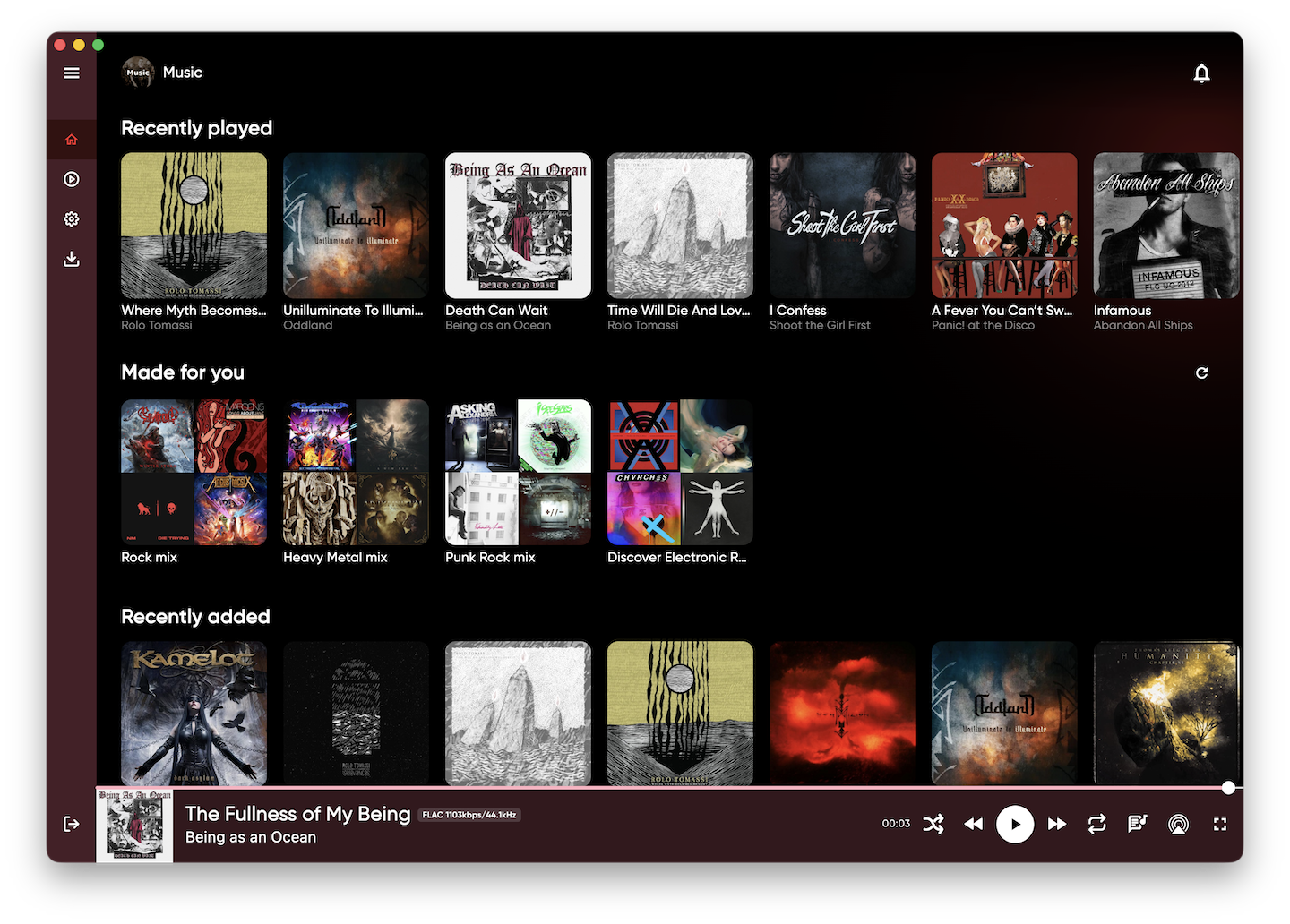
This release also adds new Home Page that provides quick way to access your most important content - recently added albums, recently played albums, favorites, and auto generated playlists

Other Features

  • Browse page search: Search for artists, albums, songs, and playlists directly from the Browse page. Results are grouped by content type. This page was merged with original Listen page.

  • Linux downloads: Linux builds are now available as AppImage, DEB, and RPM packages.

Improvements

  • Loading screens now use shimmering placeholders instead of spinners.

  • Downloaded content works on Windows and Linux without requiring separate SQLite installation.

Bug Fixes

  • Fixed issues with Linux AppImage packaging.

  • Fixed missing SQLite files in Windows and Linux builds.

Discord

I started new discord community, join to find our more about features or even take part in development by suggesting ideas or reporting issues - https://discord.gg/ETCKrWHe

Blogpost Aug 20, 2026 by Alex Sinelnikov

Fixing Merged Genres in Jellyfin

features

The problem - one combined genre for song, instead of list of genres

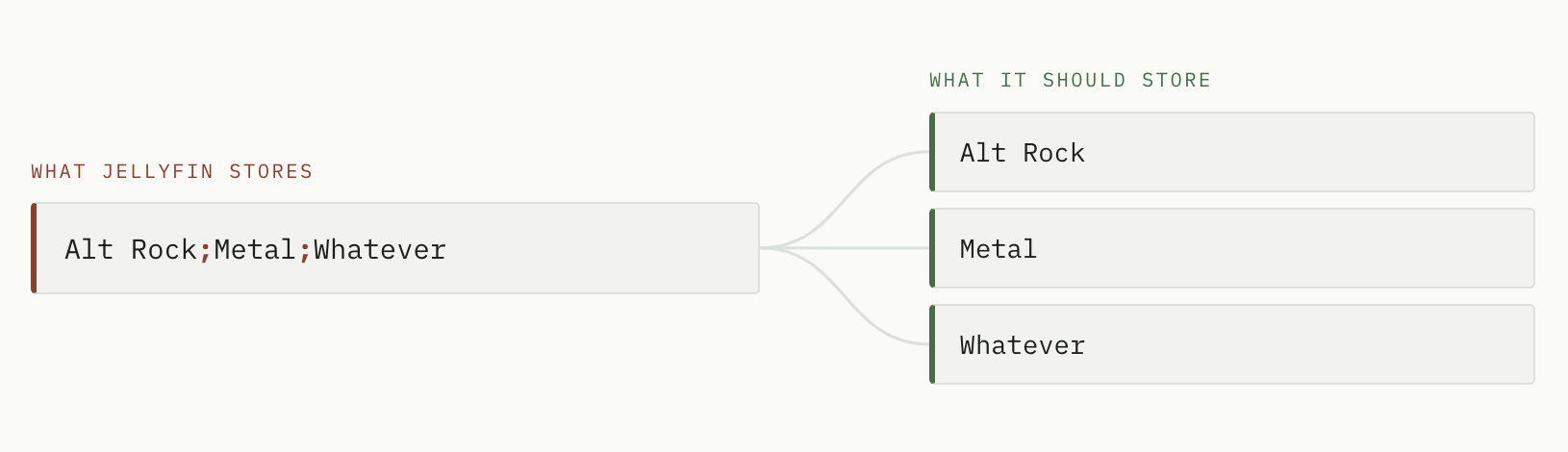
When working on Jellybox update where I made few auto-generated playlists I encountered issue related to genres parsing in my music library in Jellyfin. The issue was pretty simple - many albums had 1 genre like "Alternative Metal;Alternative Rock;Hard Rock;Metal;Nu Metal" which in fact wasnt multiple genres, but one - semicolon separated. It made impossible for me to actually generate playlists because filtering by Rock genre would yield me 0 results, since the genre wasnt just "Rock", but that whole set of genres joined into 1 value.

How to fix?

In order to fix it, I came up with 2 separate steps -

  • Rewrite the tags so each genre is a separate value, not one delimited string. This is optional step. You only need it when Jellyfin does not automatically fixed it all for you. This steps ensures that genres correctly written to file as per its file format spec

  • Tell Jellyfin to Replace all metadata, which is the only mode that re-reads them.

Step 1 - rewrite genres in your files

First - save this gist as split_genres.py on server that hosts files of your music lib. Second - run this

# You need python installed, so I assume you already have that and skip this step
pip install mutagen

# preview: shows what would change, writes nothing
python3 split_genres.py /data/Music # /data/Music is the physical location of your music lib on hard drive

# apply it for real
python3 split_genres.py /data/Music --apply

The preview prints one line per file so you can sanity-check the split before committing:

/data/Music/Emil Bulls/Oceanic/07 I Bow to You.mp3
    ['Alt Rock;Metal;Whatever']  ->  ['Alt Rock', 'Metal', 'Whatever']

------------------------------------------------------------
would update: 2    already fine: 1    unreadable: 0

By default it splits on ; and | only. / is deliberately excluded, because it turns up inside real genre names — add it with --delims ";|/" once the preview convinces you it is safe for your library.

Step 2 - refresh medatada in Jellyfin

In the web UI, as an administrator:

  1. Dashboard -> Libraries

  2. Click the menu on your music library -> Refresh metadata

  3. Choose Replace all metadata

  4. Leave Replace existing images unchecked

  5. Click Refresh, then wait a bit, it will take some time depending on your music lib size

Any other refresh mode will re-read your files, parse the new tags correctly, and then throw the result away. Only this one is allowed to overwrite genres that already exist.

Album genres sort themselves out: Jellyfin recomputes an album's genres from its tracks, so once the tracks are right the albums follow.

PS: It took me quite a while to figure out how to fix it, after using few 3rd party tools with no luck. But now I have ~100 genres down from from ~1500 before the fix

Why it happens?

If you've came across this deep - I made small research to understand why it happens in first place and why I couldn't just refresh lib and call it a day?

Jellyfin does not split delimiters by default

The splitting is behind a per-library flag that is off unless you turn it on:

// MediaBrowser.Providers/MediaInfo/AudioFileProber.cs
if (libraryOptions.UseCustomTagDelimiters)
{
    genres = genres.SelectMany(g => SplitWithCustomDelimiter(
        g, libraryOptions.GetCustomTagDelimiters(), libraryOptions.DelimiterWhitelist)).ToArray();
}

The confusing part is that the delimiter list itself is populated and written into your library's options.xml, which makes the feature look active but in facts its not. The flag carries [DefaultValue(false)], so when off it is omitted from the file entirely. A tag whose single value is "A;B;C" is stored verbatim as one genre.

Jellyfin never overwrites genres you already have unless you explicitly use Replace All Metadata when running metadata refresh -

if (options.ReplaceAllMetadata || audio.Genres is null || audio.Genres.Length == 0
    || audio.Genres.All(string.IsNullOrWhiteSpace))
{
    audio.Genres = genres;
}

Update Aug 10, 2026 by Alex Sinelnikov

Release v2.1.0

bug fixes carplay features

v2.1.0 brings a lot of improvements to desktop and mobile apps, hope you'll like them! Hit like at the bottom to let me know if I'm moving in right direction

Apple CarPlay

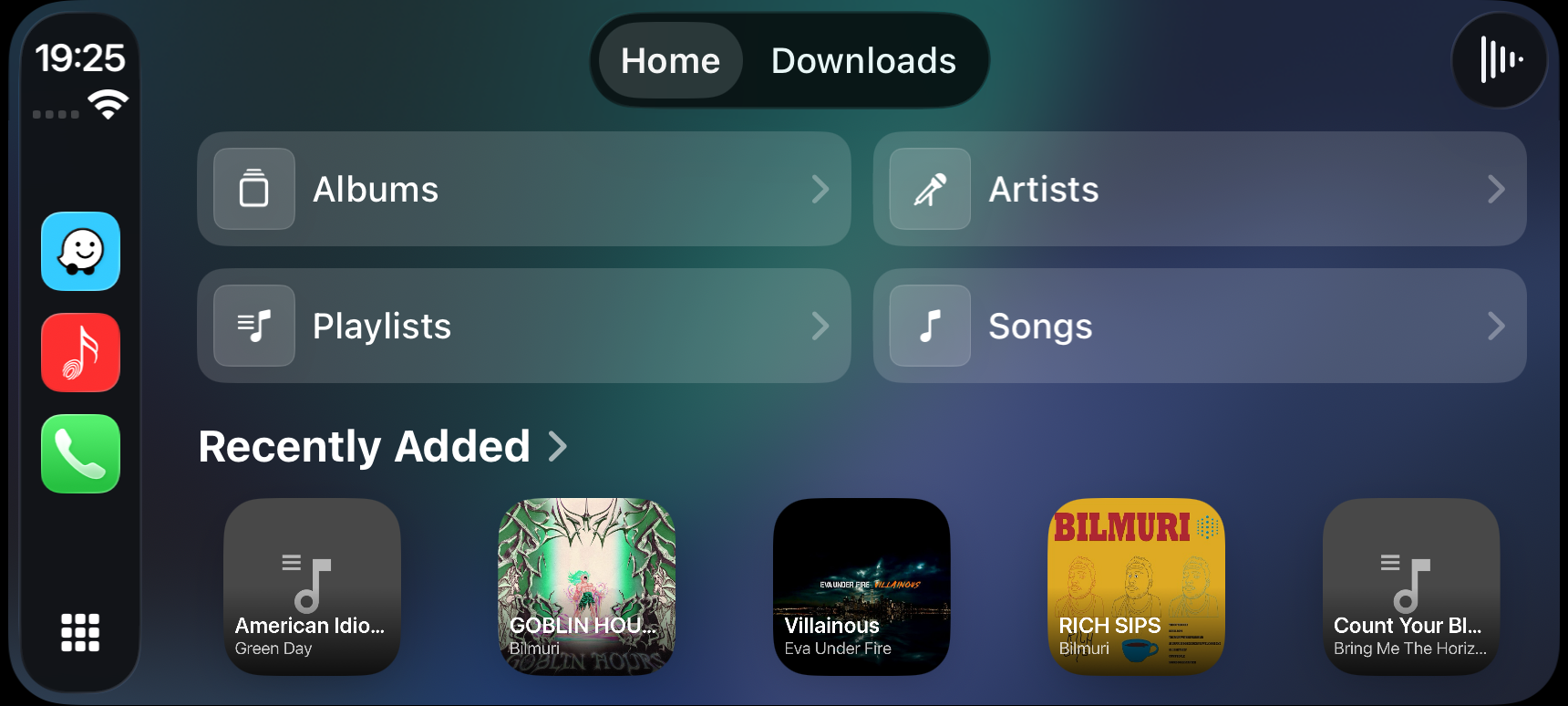
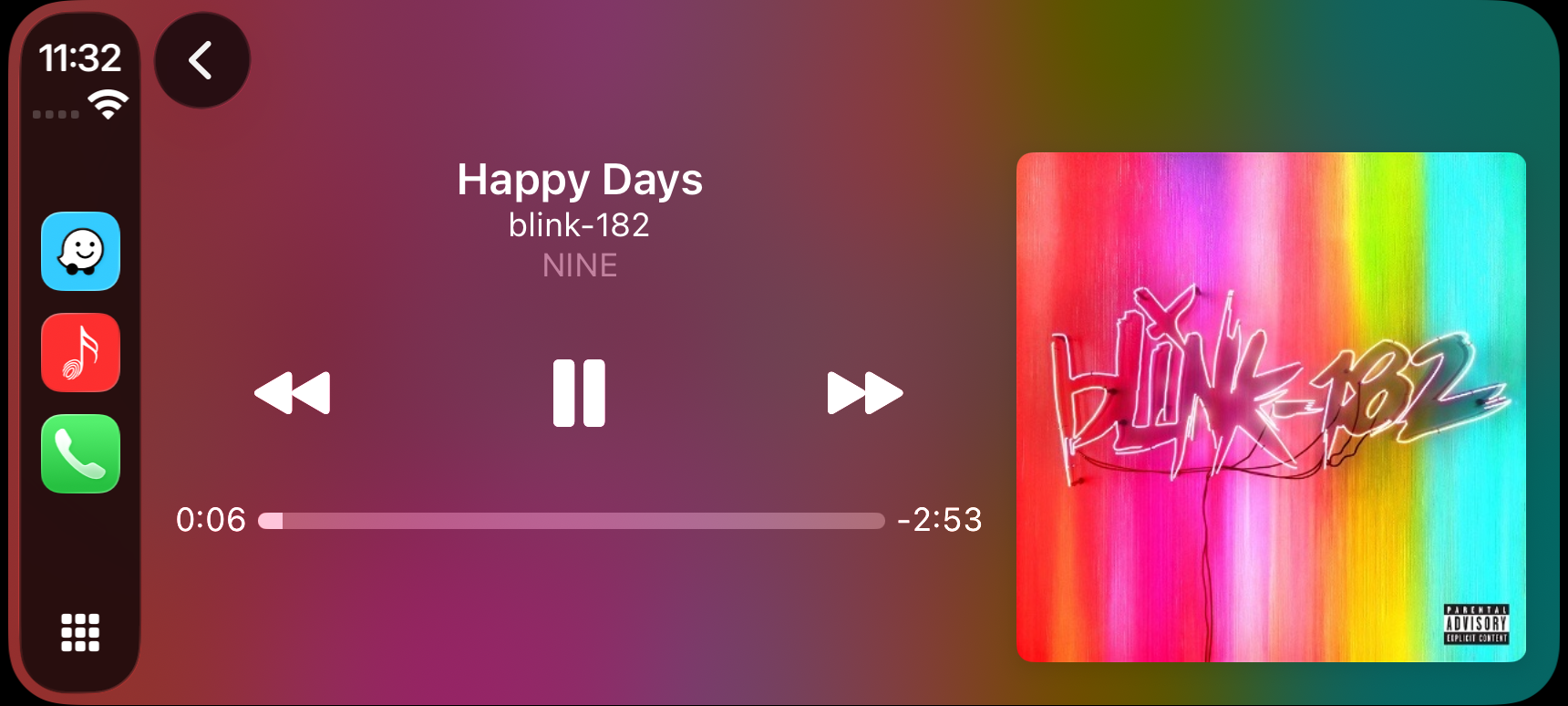
This release brings new native Apple CarPlay support. CarPlay app provides access to all your lib through artists, albums, songs and playlists, along with Downloads and offline mode. This isn't final release, I have few more features in works, so expect updates in coming few weeks.

Studio Mode

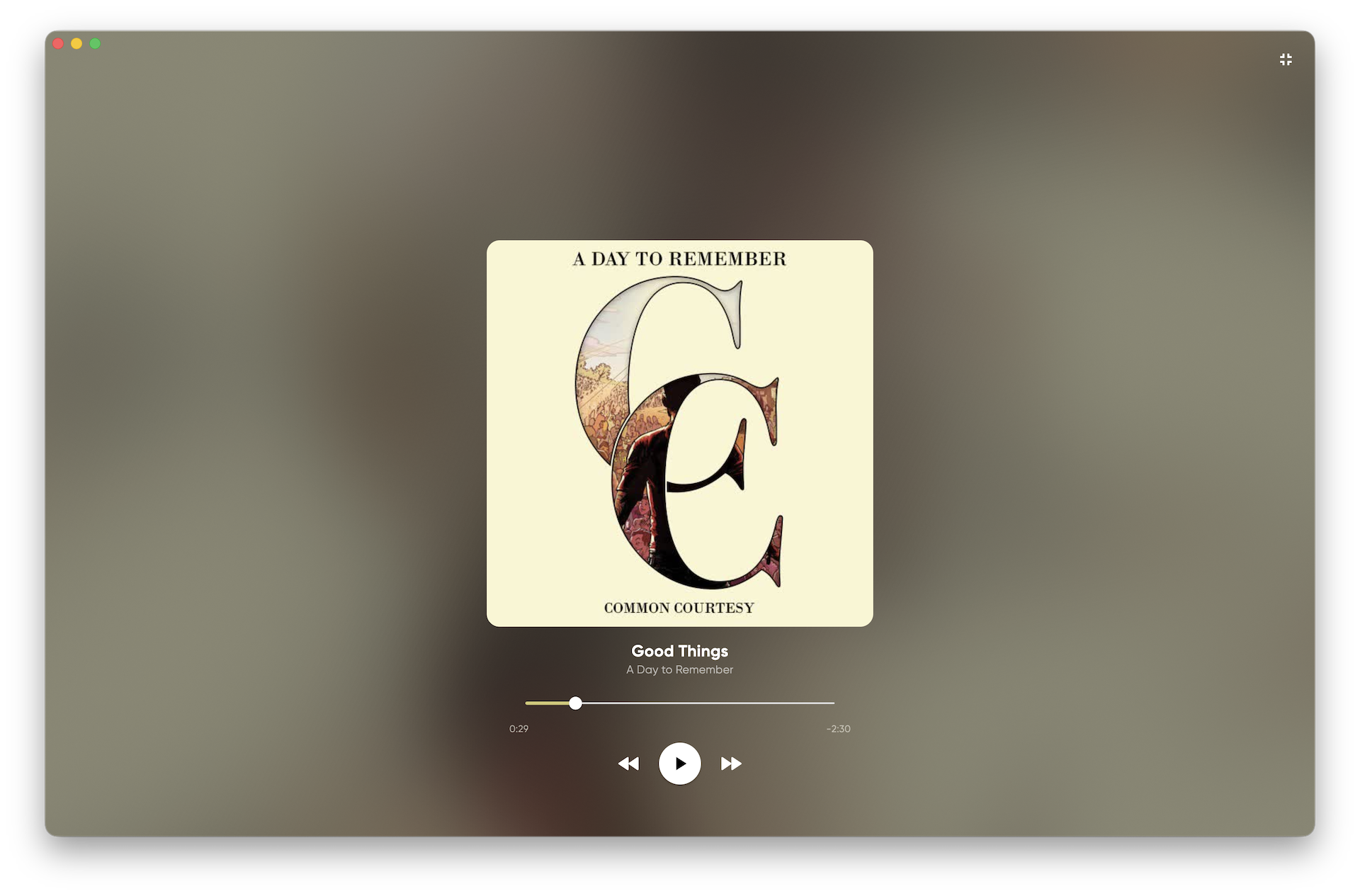
New Studio Mode gives you new full screen UI which introduces a slow color matched(to cover art) animation on background and cover image on top of UI. Controls automatically hide when not hovered after 5 seconds. There's setting to disable animation on low end PCs. Another option allows you to trigger full screen mode(for whole player) when entering Studio Mode.

Other notable features

  • Added Windows installer build using Inno Setup along with portable zip-archived release.

  • Added suggested albums section to album view, displaying "similar" albums relative to the current one.

Enhancements

  • Updated CI build scripts for Windows and Android to produce generic filenames for website referencing.

  • Improved authentication UX with server availability checks, URL validation with immediate feedback, and automatic library selection if only one exists.

  • Refactored window management to unify drag and minimize functionality across desktop platforms for predictability.

  • Enhanced mobile experience by fixing padding issues when keyboard opens on search page, eliminating unnecessary gaps.

Bug Fixes

  • Fixed incorrect padding applied when keyboard is opened on mobile devices.

  • Resolved regression in authentication page caused by recent Flutter engine updates.

  • Fixed song playback reporting to Jellyfin to enable future "Recently Played" feature.

  • Corrected ALAC playback on Android by ensuring server-side transcoding from ALAC to FLAC before playback, fixing track length reporting issues.

PS: This was a big release for me, a lot of features added or fixes, but if you have something to day - leave a comment here - https://github.com/avdept/JellyBoxPlayer/discussions/150

Announcement Aug 7, 2026 by Alex Sinelnikov

Apple CarPlay in open beta

Since few days I run Apple CarPlay beta. It provides a full featured(or as much as Apple allows to) app right in your car. The app has browsing by artists, albums, songs and playlists along with listening in full offline mode from your downloaded music

If you feel to try it yourself, join open beta test. In order to do it do:

  • Download app called TestFlight from appstore. This is official Apple's app for running beta tests

  • Join beta test by going this link - https://testflight.apple.com/join/LVj8KwAq

  • Once joined - you will have JellyBox app to download via TestFlight app.

  • After downloaded - you can see the app in your car head unit.

Please report any bugs or issues on GitHub here https://github.com/avdept/JellyBoxPlayer/issues on in this reddit thread https://www.reddit.com/r/jellyfin/comments/1vgys2k/jellybox_carplay_beta_test/

Update Jul 30, 2026 by Alex Sinelnikov

v2.0.0

General notes

This is v2.0 release and I'm very proud of it. I've been building this app since 2023, sometimes more active, sometimes less, but I tried to always keep it working well, with no issues.
Why v2.0 now? Over past few months I made a lot of quality of life changes along with some new features like lyrics, revised downloads and offline mode, support for hot keys on desktop and I thought it would be good time to actually bump major version.

Along with this new release I will be doing posts on reddit to share this app again(last time I shared it in 2023), so more people to know about app and more people to use and suggest new features to add.

Recently I also started to work on CarPlay Jellybox app, I already got entitlements from Apple and right now doing prerequisite work to support CarPlay mode in Jellybox. This was feature that was asked many times over these years, so I hope it will help more ppl to adopt Jellybox as their main Jellyfin music player.

I also apologize in advance about Android users who used sideloading. I changed bundle name from original(com.example.jplayer), to real one I've used in GooglePlay. This means you will have to sign in again after you download v2.0 from github releases.

New Features and Improvements

  • Implemented lyrics playback with toggle icons on desktop and mobile, including timed lyrics synchronized with song progress

  • Added genres tab to the listen page, enabling browsing and listening to individual genres

  • Enabled play from listen page via a play button overlay on cover art when hovering, for desktop only

  • Added space bar key handler to toggle play/pause (mimicking Spotify behavior)

  • Updated Playing Now interface on mobile devices to be more modern and lighter.

  • Introduced swipe gesture on mobile to change songs by swiping cover art on Playing Now screen.

  • Airplay sharing on Apple devices - now you can cast music to any AirPlay-compatible devices.

Bug Fixes and UI/Logic Fixes

  • Fixed notarization issue for MacOS DMG builds

  • Resolved stuck bottom cover art, making bottom artist name clickable on desktop and non-clickable on mobile for easier access to "playing now"

  • Fixed AirPlay/streaming issues caused by malformed container parameters

  • Corrected UI behavior after library switch; added icon for library switching on listen page

  • Addressed Android ALAC decoding, enabling decoding to formats playable by Android devices

Download and Offline Mode Improvements

  • Enabled visibility and playback of downloaded albums in offline mode. Now you can open app even while on plane.

  • Updated downloads page UI to match the albums page

New website

With v2.0 I also launched website-landing page for Jellybox. It was dusting in git repo for a while(maybe a year or so) and with 2.0 I decided to revive it. Take a look at https://jellybox.app/ and let me know what you think - https://github.com/avdept/JellyBoxPlayer/discussions/150

Update Jul 27, 2026 by Alex Sinelnikov

v1.9.3

features

Note: This is updated release note with included missing changes.

Bug Fixes and Improvements

  • Fixed stuck cover art in the bottom player; artist name/label is now clickable on desktop only and does not occupy the full row width. On mobile, the label is not clickable and opening the "playing now" sheet is easier.

  • Resolved issue with malformed Container parameter that prevented AirPlay/streaming from starting under certain conditions.

  • Fixed bug causing UI to break after library switching, preventing proper operation until app restart; library switching now functions correctly.

  • Added icon to the top right of the listen page after the sort dropdown, allowing users to switch libraries when a library is active.

  • Android ALAC decoding fix: Android cannot natively play ALAC; now ALAC is decoded to a compatible format on Android devices.

  • Improved previous/back button behavior with a 3-second threshold: a single click restarts the current song; a second click within 3 seconds navigates to the previous screen. This fix addresses similar behavior on the lock screen for iOS and Android. The handling is now routed through just_audio_background and managed correctly.

Update Jul 22, 2026 by Alex Sinelnikov

v1.9.2

This is minor update with following fixes

  • Cache bottom player images on desktop

  • Settings menu fixes

  • Few more deps updates

Update Jul 15, 2026 by Alex Sinelnikov

v1.9.0

This new release adds a bunch of under-the-hood fixes and upgrades:

  • Cache cover art images, so we do not refetch it everytime you open the app

  • Added release notes widget. Yes, the one you just opened. I used a tool updatify.io for this purposes, will test how it works and feels

  • Upgraded most packages to latest versions

  • Fixed "stuck" cover art. This one was tricky since its related to how jellyfin serves image files, hopefully its gone by now

  • Fixed few linux-related issues and tested how it works on wayland protocol.