Blogpost Aug 20, 2026 by Alex Sinelnikov
Fixing Merged Genres in Jellyfin
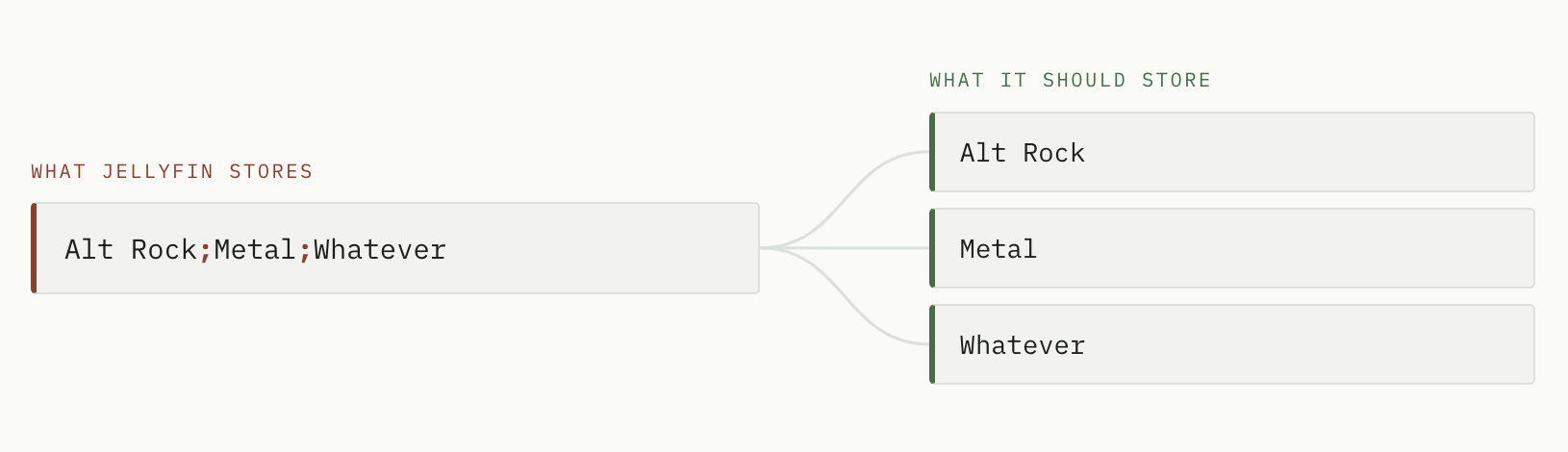
The problem - one combined genre for song, instead of list of genres
When working on Jellybox update where I made few auto-generated playlists I encountered issue related to genres parsing in my music library in Jellyfin. The issue was pretty simple - many albums had 1 genre like "Alternative Metal;Alternative Rock;Hard Rock;Metal;Nu Metal" which in fact wasnt multiple genres, but one - semicolon separated. It made impossible for me to actually generate playlists because filtering by Rock genre would yield me 0 results, since the genre wasnt just "Rock", but that whole set of genres joined into 1 value.
How to fix?
In order to fix it, I came up with 2 separate steps -
Rewrite the tags so each genre is a separate value, not one delimited string. This is optional step. You only need it when Jellyfin does not automatically fixed it all for you. This steps ensures that genres correctly written to file as per its file format spec
Tell Jellyfin to Replace all metadata, which is the only mode that re-reads them.
Step 1 - rewrite genres in your files
First - save this gist as split_genres.py on server that hosts files of your music lib. Second - run this
# You need python installed, so I assume you already have that and skip this step
pip install mutagen

# preview: shows what would change, writes nothing
python3 split_genres.py /data/Music # /data/Music is the physical location of your music lib on hard drive

# apply it for real
python3 split_genres.py /data/Music --apply
The preview prints one line per file so you can sanity-check the split before committing:
/data/Music/Emil Bulls/Oceanic/07 I Bow to You.mp3
    ['Alt Rock;Metal;Whatever']  ->  ['Alt Rock', 'Metal', 'Whatever']

------------------------------------------------------------
would update: 2    already fine: 1    unreadable: 0
By default it splits on ; and | only. / is deliberately excluded, because it turns up inside real genre names — add it with --delims ";|/" once the preview convinces you it is safe for your library.
Step 2 - refresh medatada in Jellyfin
In the web UI, as an administrator:
Dashboard -> Libraries
Click the … menu on your music library -> Refresh metadata
Choose Replace all metadata
Leave Replace existing images unchecked
Click Refresh, then wait a bit, it will take some time depending on your music lib size
Any other refresh mode will re-read your files, parse the new tags correctly, and then throw the result away. Only this one is allowed to overwrite genres that already exist.
Album genres sort themselves out: Jellyfin recomputes an album's genres from its tracks, so once the tracks are right the albums follow.
PS: It took me quite a while to figure out how to fix it, after using few 3rd party tools with no luck. But now I have ~100 genres down from from ~1500 before the fix
Why it happens?
If you've came across this deep - I made small research to understand why it happens in first place and why I couldn't just refresh lib and call it a day?
Jellyfin does not split delimiters by default
The splitting is behind a per-library flag that is off unless you turn it on:
// MediaBrowser.Providers/MediaInfo/AudioFileProber.cs
if (libraryOptions.UseCustomTagDelimiters)
{
    genres = genres.SelectMany(g => SplitWithCustomDelimiter(
        g, libraryOptions.GetCustomTagDelimiters(), libraryOptions.DelimiterWhitelist)).ToArray();
}
The confusing part is that the delimiter list itself is populated and written into your library's options.xml, which makes the feature look active but in facts its not. The flag carries [DefaultValue(false)], so when off it is omitted from the file entirely. A tag whose single value is "A;B;C" is stored verbatim as one genre.
Jellyfin never overwrites genres you already have unless you explicitly use Replace All Metadata when running metadata refresh -
if (options.ReplaceAllMetadata || audio.Genres is null || audio.Genres.Length == 0
    || audio.Genres.All(string.IsNullOrWhiteSpace))
{
    audio.Genres = genres;
}