 Jellybox
Update Sep 8, 2026 by Alex Sinelnikov
Release 2.5.0
This release took quite a while, since the DLNA stuff was trickier than I expected, so I've made a lot of back and forth to get it to usable state, but with some limitations which I can't overcome yet, see the details below.
DLNA playback
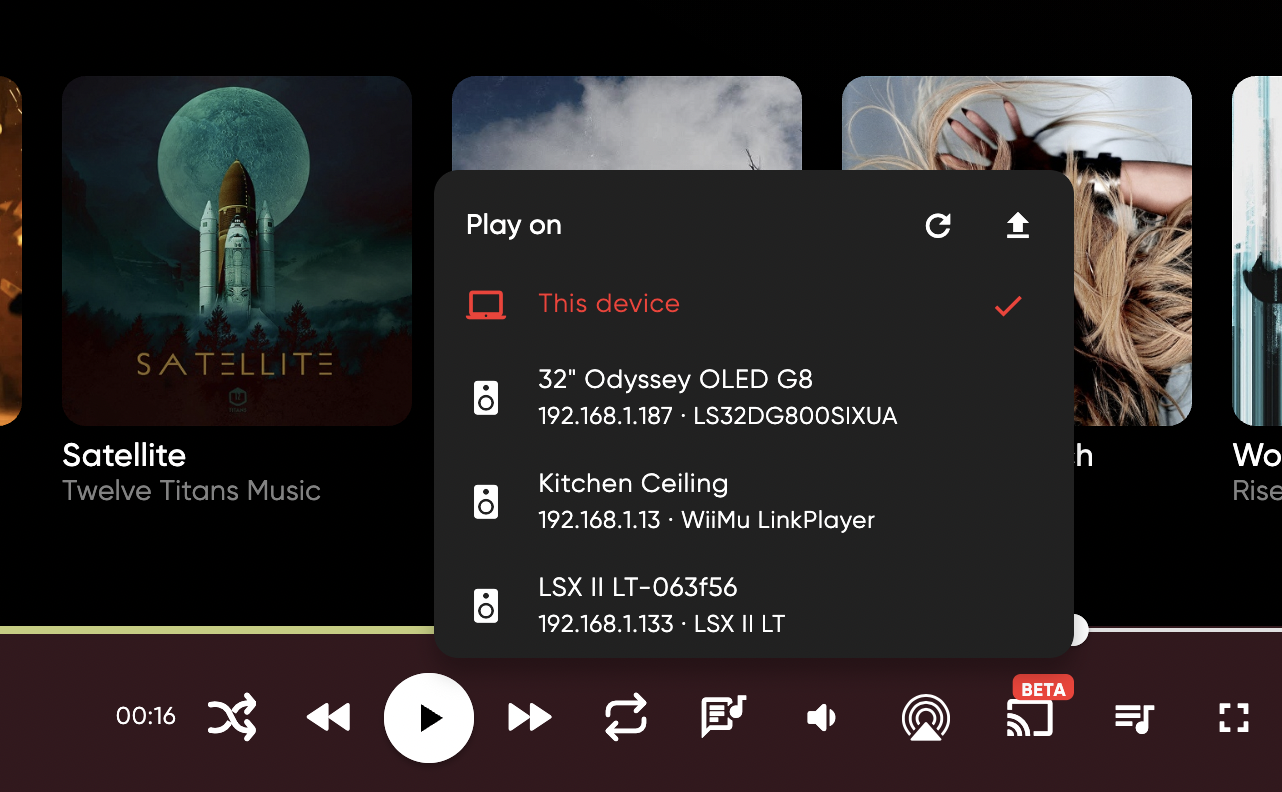
DLNA playback currently in beta state and I will need your help to get it to release. The problem with DLNA is that there are 3 versions, but each manufacturer adds also their own features. The biggest problem is the queue. The reason is simple - DLNA queue was added only in DLNA v3, which was officially launched around 2015, but not that much devices supports it even in 2026.
Before v3 - different manufacturers had their own queue implementations. Why do you need queue at all you might ask?
Well, on desktops - you don't and there's currently no limitations on desktop platforms. However on mobile - when you start DLNA session - your phone physically stops playing anything and OS puts app into background mode. That means you can't poll your DLNA speakers about its current state, current song, etc. Because of that you cannot push new song to be played unless device supports queue.
When DLNA device supports queue - you can put your whole playlist or album into queue and let the DLNA device to play on its own, and when not - player needs to check whether song ended and needs to push next one to play. Some DLNA devices supports 2 songs(current and next), but equation remains the same - you need to track DLNA device playback state and update songs.
On android - there's a way to have app not to go to deep sleep. On iOS - there's no way to keep app awake while DLNA plays.
For now DLNA devices with no queue supports - arent supported to be played on mobile and will be greyed out in DLNA speakers dropdown. I'm not saying its permanent, maybe I will find a way to play it, but for now I don't want to deal with issue reports that DLNA stops playing after 1-2 songs.
For that I need your help - there's upload button in DLNA dropdown. This will send to sentry(bug tracker) list of your DLNA speakers with its capabilities. I don't have much DLNA spekaers myself(you can see them on screenshot), so I tested with the hardware I had, but because different manufacturers do different queue implementations - I need to see the debug details.
These details will not be used anywhere, except fixing possible issues with DLNA in jellybox app, and will be automatically deleted after 90 days(as per sentry docs). This is totally optional, and will help development.
For now Sonos devices supported and Linkplay/Arylic, since these are the ones I could've tested myself.
Please report any issues with DLNA either on github or in discord - https://discord.gg/5deQcmPu
Queue management
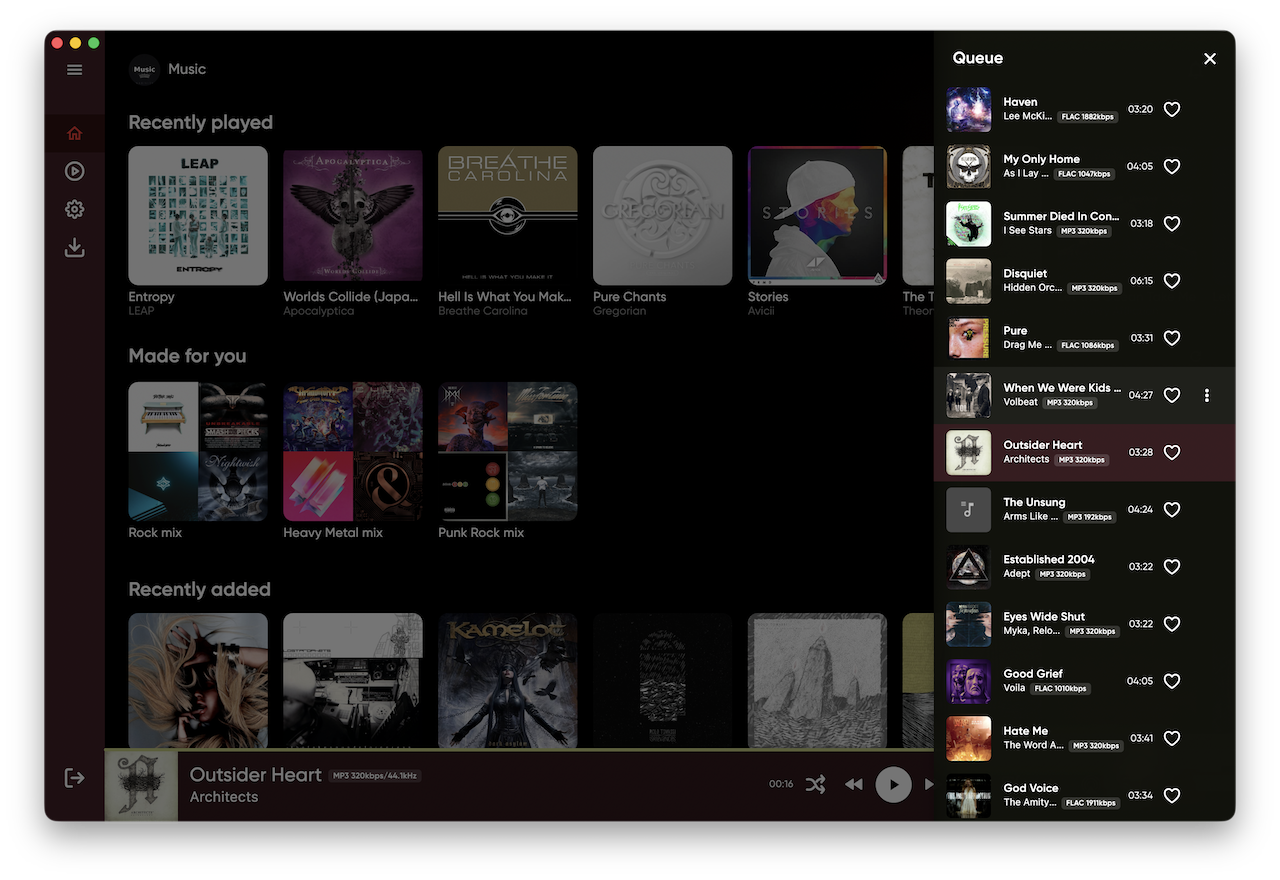
You can now view and manage the current queue. Move songs, remove them, or add songs to play next or later.
On desktop you can open queue via button at bottom right corner and drag items around. On mobile - it opens via Playing Now window.
Other Improvements
Playlist playback and downloads now work correctly from the buttons at the top of a playlist.
The left sidebar is collapsed by default.
You can hide the Favorites and Recently Played rows from the Home page.
Improved desktop rendering after upgrading Flutter to v3.47.2. I had to drop older MacOS support unfortunately.
Bug Fixes
Fixed an issue that prevented the app from starting on Kubuntu with Wayland.
Studio mode now shows cover art when it first loads.
Fixed window controls appearing in Hyprland, where they are not needed.
Let me know about issues you encounter or ideas that might improve the player. You can submit them on github https://github.com/avdept/JellyBoxPlayer or in discord https://discord.gg/5deQcmPu